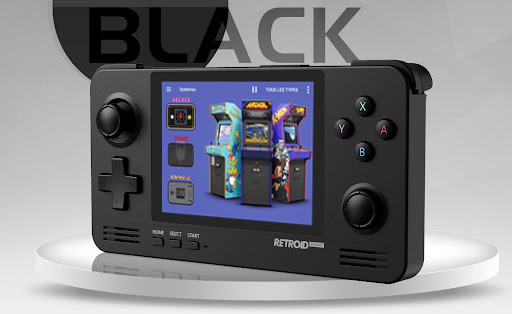
Top Launchers for the Retroid Pocket Series
Hereโs a breakdown of the most popular front ends currently used with the Retroid Pocket 2 and beyond. Each of these is actively used and loved by the community.
- Pegasus Frontend
Pegasus is a visually stunning and highly customizable front end. It supports a wide range of themes, metadata scraping, and emulator integration. Ideal for the more experianced that acn be time consuming

โ
Best for: Gamers who want style and control
๐ Download Pegasus: https://pegasus-frontend.org
- Daijisho
Daijisho is one of the most popular choices among Android-based handheld users. It offers a beautiful UI with deep emulator integration, box art support, and custom layouts.

โ
Best for: Seamless user experience and design-focused gamers
๐ Download Daijisho: https://play.google.com/store/apps/details?id=com.front_end.daijisho
- LaunchBox for Android
A premium front end that mirrors the PC versionโs robust functionality. LaunchBox for Android brings deep game library management, metadata scraping, and theme support to your handheld.

โ
Best for: Power users and those already familiar with LaunchBox on PC a paid for app but can be well for it.
๐ Download LaunchBox: https://www.launchbox-app.com/android
- Reset Collection
Reset Collection is built from the ground up for Android retro handhelds like the Retroid Pocket 2. Itโs super easy to set up, with drag-and-drop organization and auto-emulator detection.

โ
Best for: Beginners and those who want a quick, clean setup
๐ Download Reset Collection: https://play.google.com/store/apps/details?id=com.phoeber resetcollection
5, DIG
โ Great all round Front end that has matured over time and proven to be the most stable. Making Rght Sprite Favourite ๐

๐https://play.google.com/store/apps/details?id=com.digdroid.alman.dig&pcampaignid=web_share
๐ง How to Choose the Right Launcher for You
Here are a few things to think about when picking your front end:
Ease of Setup: Are you a beginner? Start with Reset Collection or Daijisho.
Customization Needs: Want deep tweaks and visual themes? Go for Pegasus or LaunchBox.
Game Library Size: Bigger libraries benefit from better metadata management like in LaunchBox.
Aesthetic Preference: Do you prefer a console-like interface or minimalist design?
๐บ Watch the Full Video: See Each Launcher in Action!
Donโt miss the full breakdown and side-by-side comparison on YouTube:
๐ Watch: Retroid Pocket 2 Front End and Launchers (Insert your actual YouTube video link here)
You’ll see how each launcher looks, how smooth it runs, and what makes each unique.
๐น Final Thoughts: Your Handheld, Your Way
Choosing the right launcher can seriously enhance your Retroid Pocket 2 experience. Whether you’re after aesthetics, usability, or pure nostalgia, there’s a launcher that fits your style.
Ready to power up your handheld? Download one of the front ends above, try them out, and find the perfect retro gaming interface for your needs.